
How to Order a Personal Assisted Purchase from Sellers on WhatsApp, Instagram, and VK
Buying products through social platforms often becomes complicated when there is no checkout page, no international shipping. And no way to pay with a foreign card. An assisted purchase order solves this problem by allowing you to buy directly from sellers who operate only through messages and local payments. If you found a product on Instagram, VK, or WhatsApp and cannot complete the purchase yourself, the assisted purchase order service from En.Aukciony.com is designed specifically for you.
This guide explains the assisted purchase order process step by step. From collecting product details to receiving your parcel internationally.
What Is an Assisted Purchase Order and When You Need It
An assisted purchase order is used when a seller does not provide a standard online store. Many social media businesses sell products only through direct messages, private chats, or messenger catalogs. Prices are often provided only after a request. Payments are accepted via local bank transfers. And sellers frequently communicate only in their native language.
You need an assisted purchase order if the seller does not offer an “Add to Cart” option, does not support international payment systems, refuses foreign inquiries, or publishes products without direct product links. This situation is common with Instagram boutiques, VK community stores, WhatsApp catalog sellers, private resellers, and handmade workshops.
Instead of trying to negotiate, translate messages, and arrange cross-border payments on your own, you submit an assisted purchase order and the service team handles the transaction locally on your behalf.
Step 1 — Collect Product Details for Your Assisted Purchase Order
Social media listings rarely look like traditional product pages, so your order does not require a formal webshop link. What matters is clear product identification.
Save the product photos or screenshots and copy any available link, such as a post URL or seller profile page. If no link exists, you can still proceed with an assisted purchase order by specifying where the item is sold. Write down the product name, model, size, color, configuration, and quantity. If the price is visible, include it. If the seller hides the price behind messages like “DM for price” or “Contact via WhatsApp,” your order can still be submitted with a price request.
Providing accurate specifications prevents ordering mistakes and speeds up processing.
Step 2 — How to Fill Out the Assisted Purchase Order Form
To create an assisted purchase order, open the official order page.
Start with the product link field. If the item appears in a social media post, paste that URL. If only a seller profile exists, paste the profile link. When the sale happens purely through messaging, simply state that the product is sold via Instagram, VKontakte, or WhatsApp.
In the product name field, enter a clear and specific title. For example, a good order title would be “1:72 scale Minsk 103 motorcycle model.” Precise naming helps the purchasing team identify the exact item.
The description field should contain all essential characteristics. Include model variations, dimensions, color options, technical specifications, or bundle details. If a seller lists several products in one post, describe exactly which item you want to avoid confusion.
Enter the price if it is publicly available. If not, indicate that the price is on request. The assisted purchase order team will contact the seller directly to obtain the current cost. Specify the quantity so the purchase can be completed correctly.
Example of a Completed Assisted Purchase Order
Below is a real example of how an assisted purchase order looks when properly filled out. The customer found collectible scale motorcycle models sold through a VK seller and provided the product link, description, and known price. This level of detail allows the order to be processed without delays.
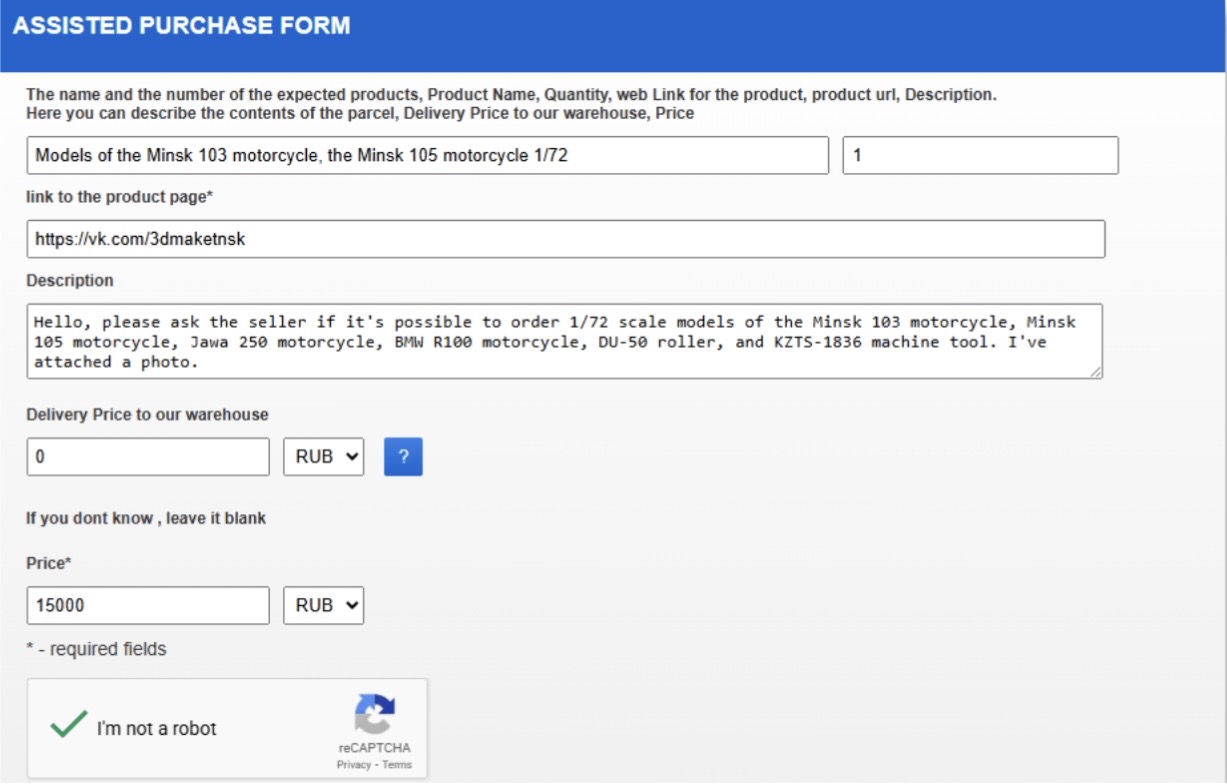
A clear assisted purchase order like this helps avoid clarification emails and speeds up communication with the seller.
Step 3 — What Happens After You Submit an Assisted Purchase Order
Once your assisted purchase order is submitted, the service team contacts the seller in their local language. This step is critical because many social media businesses operate informally and do not work with international customers.
The team requests missing prices, confirms availability, clarifies th characteristics, verifies product versions, and arranges domestic payment. Since the purchase is made locally, sellers treat the transaction as a standard domestic order.
After confirmation, you receive an invoice that includes the product price and delivery to the warehouse. Once payment is completed, the item is purchased and shipped to the facility. From there, it is packed securely and forwarded to your international address.
Common Products Ordered Through Assisted Purchase Orders
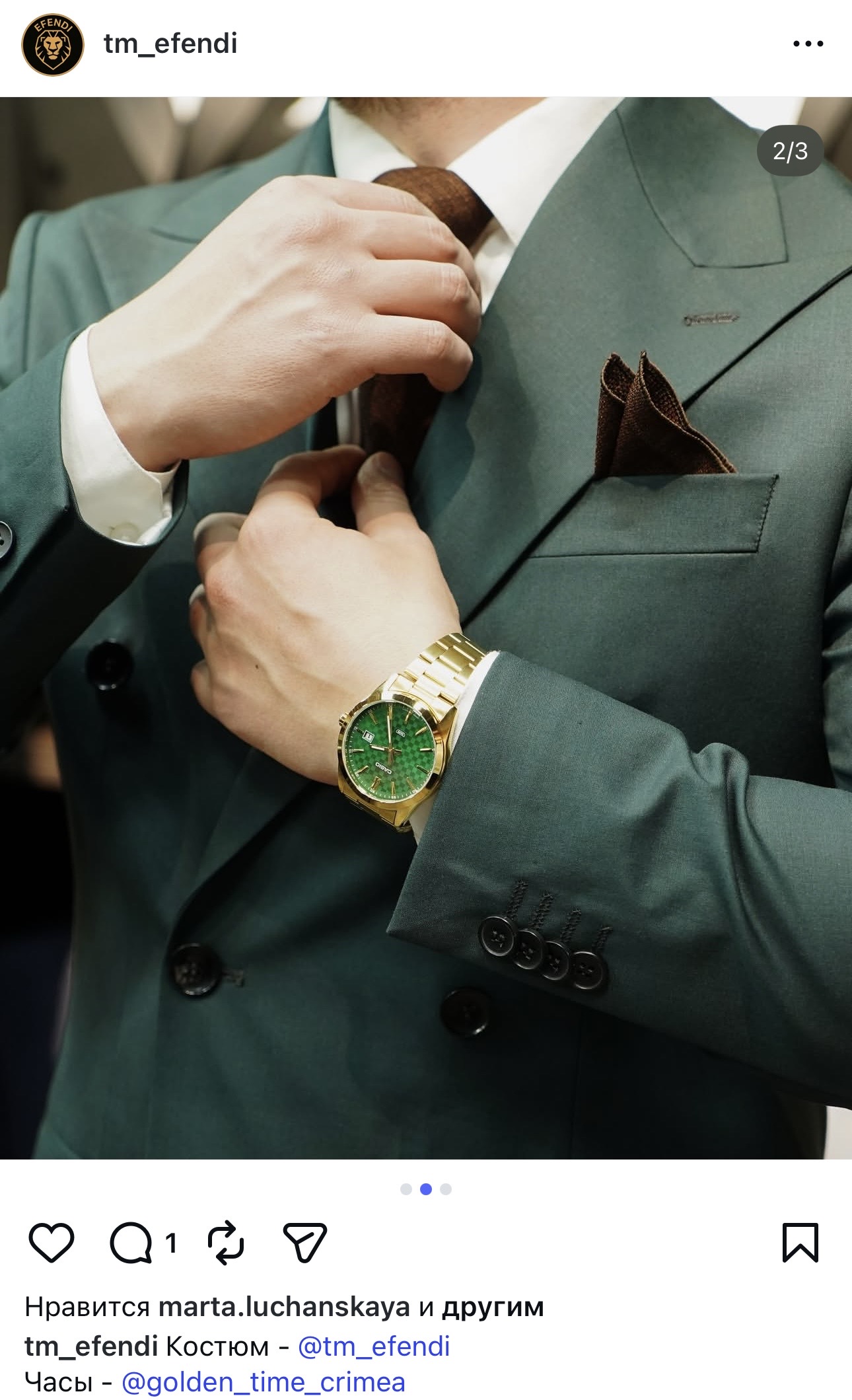
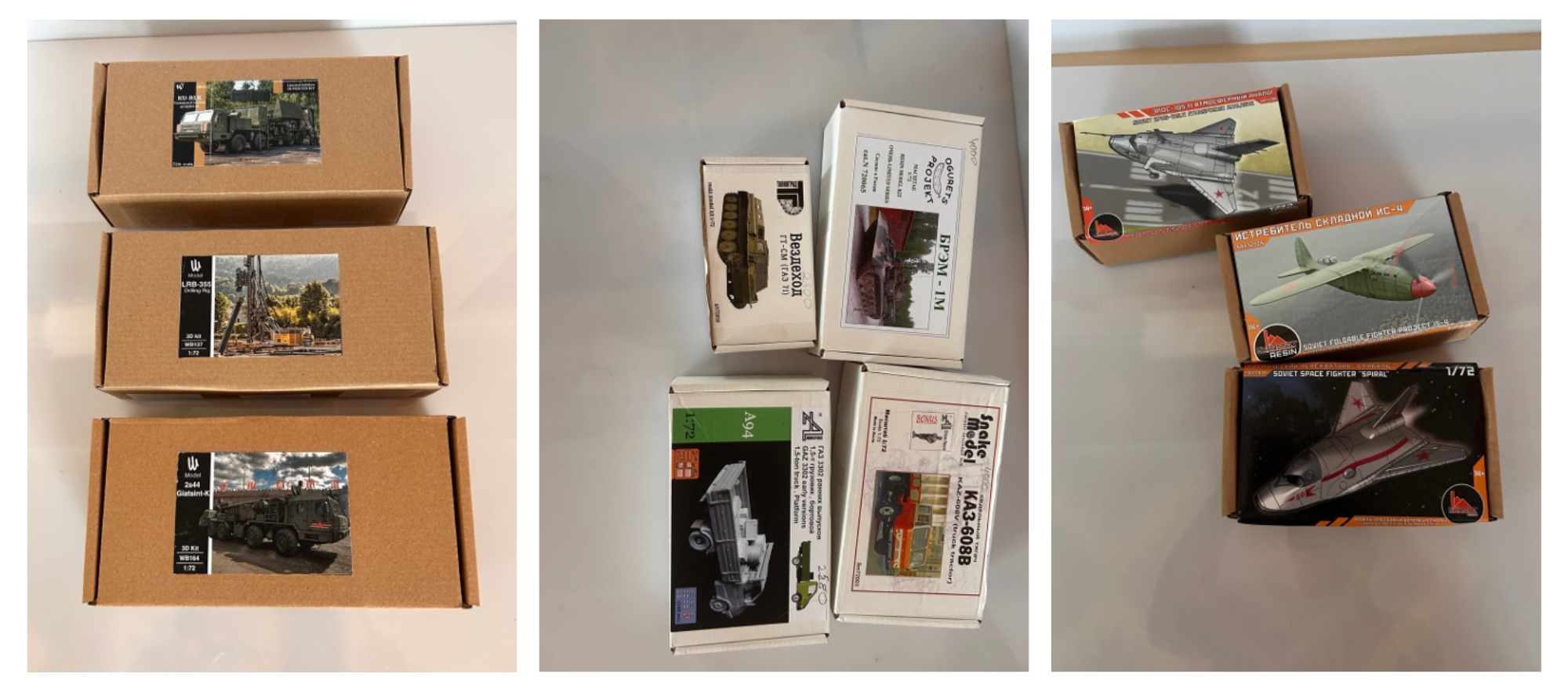
Customers frequently use an assisted purchase order to buy limited clothing and accessories collections from Instagram boutiques, VK communities, handmade goods from private workshops, collectible items from enthusiast groups. And other goods listed in WhatsApp catalogs. These sellers often offer unique products that are unavailable in large online marketplaces but lack international sales infrastructure.


We cover this topic in more detail in our dedicated article.
If the Assisted Purchase Order Form Is Difficult
If filling out the assisted purchase order form feels inconvenient, you can request manual assistance. Simply email the support team at info@aukciony.com.
>Include where you found the product, what exactly you want to buy, product photos or screenshots, specifications such as size or model, and the required quantity. The managers will help you create assisted purchase order. And guide you through the next steps.
How Aukciony Makes Social Media Shopping Easy
Shopping through social platforms should not be limited by language barriers, missing checkout systems. Or local payment restrictions. An assisted purchase order allows you to buy safely from messenger-based sellers. While professionals handle communication, payment, and logistics.
With En.Aukciony.com, international customers can confidently purchase products from social media sellers. And receive them worldwide without dealing with complicated cross-border buying procedures.
FAQ: How to Buy from Instagram, VK , and WhatsApp Sellers with Aukciony
How do I place an order?
Use the official order form on Aukciony’s website: Order Form. You simply paste the links to your chosen parts, confirm the total price. And submit your request.
How much does packaging cost?
Packaging varies from 9 to 24 euros, depending on size and fragility. For example, a dress costs about 9 euros. A porcelain figurine (fragile, requires strong protection) may be 20–30 euros.
How much does shipping cost?
Shipping costs depend on the weight and destination country. Export registration is 15 euros. Delivery rates depend on the destination country.
How long does delivery take?
Delivery times vary by country. To Europe — 2 to 5 weeks, to Georgia — 1 to 2 weeks.
Is shipping to US available?
Shipping to the US is available only as a gift and for items in the parcel <100$ .
Can I order several items from one seller?
Yes, you can. Create one order, indicate the total amount for all items. Then list the links and characteristics of all items in the comment field and set the quantity to one. After confirmation, you can pay.
Are there restrictions on what can be shipped?
Some items are not accepted for purchase. Always check with your manager before ordering.
Can I buy directly using a Russian address?
If you have a Russian phone number and a local bank card, yes! Use Aukciony’s Russian address. If you don’t, simply place your order through Aukciony’s buying form. International transfers to Russia don’t work, but Aukciony can handle everything on your behalf.
Nice shopping!
Fill in the Form of the Order | Get an Address For Shopping | Pick Up and Deliver a Parcel | Reviews |
Shipment Calculator | Where To Buy?


